



















What is a SaaS website sitemap, and why start with one?
A SaaS website sitemap is the list of pages on your marketing site, grouped the way buyers look for information, with the job each page does. It's a planning document, not the XML file you submit to search engines, although the XML sitemap is generated from the same page list later.
Start here before any design work. A free SaaS Figma template or website kit gives you good-looking sections, but it can't tell you whether you need a solutions page per industry, a separate security page or a comparison page. Those choices set how many pages get designed, written and built, which is most of what a website costs. Our article on the SaaS website sitemap explains the thinking behind this structure.
How do you use this sitemap template?
Copy the seven groups below
Paste them into a doc or a spreadsheet with columns for page, job, owner and status.
Mark each page now, later or never
Use the stage table further down. Most early sites need far fewer pages than this list.
Write one sentence per page
Say who lands on it and what they should do next. If you can't write that sentence, the page probably isn't needed yet.
Turn the list into navigation
Pick the five or six top-level items buyers need first, and put the rest in the footer.
Only then open Figma
Create one frame per page template, not per page. Ten product pages often share one template.
Group 1: Core pages every SaaS site needs
Page | Its job | Must include |
|---|---|---|
Home | Explain what you do and route each buyer | Clear headline, product visual, proof, primary CTA |
Pricing | Help buyers choose a plan or talk to sales | Plans, comparison table, pricing FAQ |
Demo or sign-up | Convert intent into a booked call or account | Short form, what happens next, reassurance |
About | Show who is behind the product and why | Founders, mission, investors if public, hiring link |
Contact | Route sales, support and press questions | Separate paths, response expectations |
Our SaaS pricing page template and startup homepage template go section by section through the first two.
Group 2: Product and solutions pages
- Product overview: the whole product on one page, with links to each feature area.
- Feature pages: one per major capability, only when each has enough to say and its own search demand.
- Solutions by use case: for example "For onboarding" or "For reporting", written around the job, not the feature.
- Solutions by industry or role: only when you really sell differently to each, with proof from that segment.
- Integrations: a directory, plus individual pages for the integrations buyers ask about most.
If you're unsure how to split these, read solutions page vs product page and what pages a SaaS website should have.
Group 3: Proof, comparison and trust pages
- Customers or case studies: an index plus one page per story, with the customer's permission and real details only.
- Comparison pages: "You vs a named alternative" or "You vs the old way", fair and factual.
- Security or trust center: certifications you actually hold, data handling, subprocessors and a contact for security reviews. See B2B website trust pages.
- Reviews: links to third-party review profiles rather than quotes you can't verify.
Group 4: Resources, company and legal pages
- Resources: blog, guides, docs or help center (often on a subdomain), changelog, templates.
- Company: careers, press or newsroom, partners program.
- Legal: privacy policy, terms of service, cookie policy, data processing agreement, accessibility statement.
- Utility: a 404 page that routes people back, and thank-you pages after each form so you can track conversions.
Which pages should you build first at your stage?
Build the pages that answer a buyer's questions before the first sales call, and leave the rest for later. These are our recommendations, not rules, and the right list depends on how you sell. Our guide to how many pages a startup website needs goes deeper.
Stage | Build now | Add next |
|---|---|---|
Pre-seed | Home, demo or waitlist, about, legal | Pricing once it's stable |
Seed | Home, product, pricing, demo, about, legal, blog | First case study, security page |
Series A | Above, plus use case pages, customers, security, integrations | Comparison pages, industry pages, careers |
Series B and later | Full structure across segments and products | Localized pages, partner and developer sections |
How should you structure URLs and navigation?
Keep URLs short, lowercase and grouped by folder, so the structure reads the same way the navigation does. A top nav of five or six items is easier to scan than a mega menu on an early site. Our guides to website information architecture and navigation best practices cover the patterns.
- /product and /product/feature-name for product pages.
- /solutions/use-case and /solutions/industry for solutions.
- /customers/company-name for case studies.
- /compare/competitor for comparison pages.
- /pricing, /security, /about, /careers at the top level.
- /blog/post-slug for articles, without dates in the URL.
When the site is live, generate the XML sitemap from the same list. Google's Search Central documentation sets a limit of 50,000 URLs or 50MB uncompressed per sitemap file, which a marketing site will rarely reach, so one file is usually enough. Our guide to robots.txt and the XML sitemap covers the setup.
Hypothetical example: a seed-stage sitemap, filled in
For example, suppose a seed-stage B2B data tool selling to finance teams fills in the template.
Build now (8 pages): Home, Product, Pricing, Book a demo, About, Security, Blog index, plus legal pages generated from one template. Add next quarter: two use case pages (month-end close, board reporting) and the first customer story once a customer agrees to it. Never, for now: industry pages, a partner program and a careers page beyond a link to the job board.
Top nav: Product, Solutions (hidden until the use case pages exist), Pricing, Security, Blog, plus a Book a demo button. Everything else lives in the footer. In Figma, that becomes six templates: home, product, pricing, form page, article and a simple text page for legal.
How does the sitemap set the cost of your website?
Page count and the number of unique templates are among the biggest drivers of a website quote, so the sitemap is also your budget. Our website cost estimator turns a page list into typical 2026 ranges. Our own website package is $8,000 fixed for up to 6 pages, plus $500 per extra page, covering copywriting, custom design, a Next.js build, a CMS and animation.
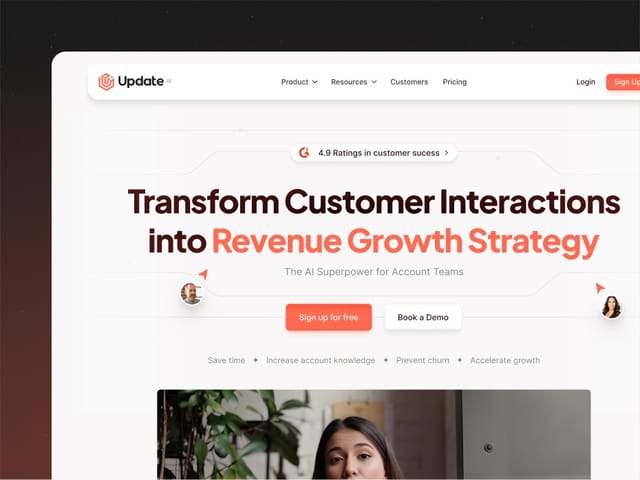
We designed and built the sites for Update.ai and Wirefox VPN, and on every website project we plan the sitemap with you before design starts. See our SaaS website design service, or book a free 30-minute call and bring your page list.