



















What do website migration services include?
Website migration services include everything needed to move a live site to a new platform without losing search traffic or leads: an inventory of what exists, a decision on what to keep, the rebuild, the content move, redirects, tracking and checks after launch. Moving the design between platforms is almost always a manual rebuild: content can often be imported, but layouts and interactions rarely convert cleanly.
Deliverable | What it covers |
|---|---|
URL inventory | Every indexed page, post, file and image path on the current site, with its traffic and links |
Content audit | Keep, merge, rewrite or retire for each page, so you don't migrate dead weight |
Content model | Collections and fields on the new platform, mapped from the old ones |
Rebuild | Templates and pages rebuilt on the new platform, with design changes if you want them |
Content move | Import by CSV or API, rich text cleaned, images re-hosted, metadata carried over |
Redirect map | A 301 redirect for every old URL that changes, tested before and after launch |
Tracking and forms | Analytics, conversion events, consent and CRM forms rebuilt and tested |
Launch and monitoring | DNS switch, sitemap submission, crawl checks and ranking checks after launch |
Migration work is scoped on the intro call, and we include redirects and SEO checks in any migration we take on. Our website migration SEO checklist lists every check in detail.
Should you migrate your website at all?
You should migrate when the current platform is blocking something your business needs, not because a new tool looks better. Good reasons include an editing experience your team can't use, a CMS that can't hold your content, costs that have outgrown the value, or a site that has to share code with your product.
Weak reasons include a dated design (a redesign on the same platform is cheaper), one missing feature that an integration could solve, or a price rise that a different plan would absorb. Platform pricing has been a common trigger recently: Webflow reworked its plans in 2026, and Framer charges for localization and seats. Before you move, compare the cost of the new plan, the migration itself and the risk to rankings. Our guide on when not to migrate your website walks through that decision.
Which CMS migration services do we cover?
Our CMS migration services cover moves from the common startup platforms to Framer, Webflow or Next.js with a headless CMS. The right destination depends on how much content you have, who edits it and whether the site has to work with your product.
Moving from | Common destination | Watch out for |
|---|---|---|
WordPress | Webflow, Framer or Next.js | Date and category URL patterns, plugin features to replace |
Wix or Squarespace | Framer or Webflow | Platform URL paths such as blog post prefixes, image exports |
HubSpot CMS | Webflow, Framer or Next.js | Keeping HubSpot as CRM, rebuilding forms and smart content |
Webflow | Framer or Next.js | Rich-text images on Webflow's CDN, interactions to rebuild |
Framer | Webflow or Next.js | No real code export, CMS structure to remodel |
Contentful, Prismic or Strapi | Sanity or Payload | Content model redesign, rich text and asset formats |
Each move has its own guide in our blog, such as WordPress to Webflow, Webflow to Framer and Webflow to Next.js. If you're leaving a traditional CMS for a headless one, our headless CMS development service covers the build side.
How does a website migration protect your SEO?
A website migration protects SEO by keeping every URL that earns traffic or links either unchanged or permanently redirected, and by carrying over the content and metadata that made it rank. Most traffic losses after a move come from missing redirects, accidental noindex tags, broken canonicals or content that was quietly cut.
Google's documentation on site moves with URL changes recommends permanent server-side redirects such as 301 or 308, and keeping them for as long as possible, generally at least one year. We follow that and add our own checks:
- Benchmark first: record rankings, traffic and conversions per page before anything moves
- Map every URL: old to new, one to one, avoiding redirect chains
- Carry metadata: titles, descriptions, canonical tags, structured data and alt text
- Test on staging: crawl the new site and check every redirect before the DNS switch
- Monitor after launch: watch Search Console for crawl errors and drops, and fix what's missed
Our redirect map generator helps you start the old-to-new URL sheet yourself.
How does a migration project run with us?
We start with the words and the URLs, not the new design, because the content audit decides what the new site has to hold. Every step ends with something you approve.
Intro call
A free 30-minute call about why you want to move, what the site holds and who edits it. We'll recommend a destination, or tell you not to migrate.
Inventory and benchmark
We crawl the current site, export analytics and Search Console data, and record what each page earns.
Content audit and model
We decide with you what to keep, merge, rewrite or retire, then design the content model on the new platform.
Rebuild
We rebuild templates and pages, either matching the current design or redesigning as we go.
Content move and redirects
We import content, clean rich text, re-host images, and build and test the full redirect map on staging.
Launch and monitoring
We switch DNS, submit the sitemap, retest redirects, forms and tracking on the live domain, then monitor search data.
Should you redesign and migrate at the same time?
Doing both at once saves rebuilding twice, since a platform move means rebuilding the pages anyway. The trade-off is risk: if rankings move after launch, it's harder to tell whether the cause was the design, the content or the migration. We reduce that by keeping URLs and core content stable where they rank, and changing design around them. Our article on migrating and redesigning at the same time covers the trade-off.
How much do website migration services cost?
Website migrations typically run from about $1,500 to $25,000 in the agency quotes we see, depending on page count, the amount of CMS content, how far the content model changes, and whether design and copy are part of the move. Prices vary by agency and region, and quotes that leave out redirects and SEO checks look cheaper than they are.
- Typical migration quote range we see, by site size
- $1.5k–$25k
- Designify website package, up to 6 pages
- $8,000
- Each extra page
- +$500
Our website package is $8,000, fixed, for up to six pages with copywriting, custom design, a Next.js build, a CMS and animation. Migration work is scoped on the intro call, because it depends on how much content you have and how it has to change. Read our website migration cost guide for the full breakdown.
Who is our replatforming service for?
Our replatforming service fits startups with a marketing site of up to a few hundred pages that want the move handled by a team that also writes and designs. It's a good fit when the migration is a chance to fix positioning and structure, not just to copy pages across.
It's not the right fit for large ecommerce replatforms, sites with complex logged-in features, or teams that only need a technical lift-and-shift and already have finished designs. For those, a specialist ecommerce or engineering agency may serve you better, and we'll say so.
Sites we've designed and built
We've delivered 60+ projects across 14+ industries on Framer, Webflow and Next.js. These are examples of the kind of site that sits on the other side of a migration:
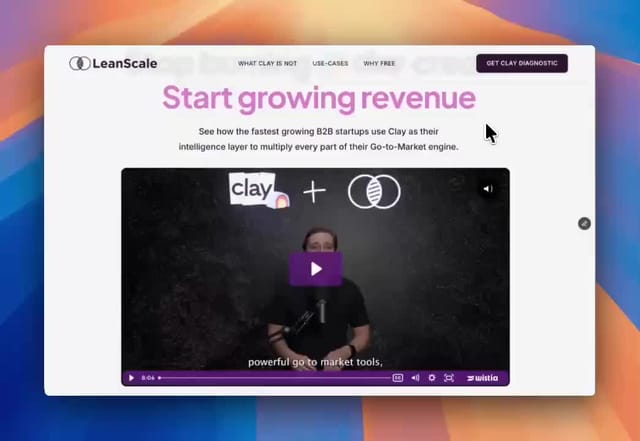
- LeanScale: a site for a data company. See the LeanScale project.
- Update.ai: we designed and built Update.ai's site. See the Update.ai project.
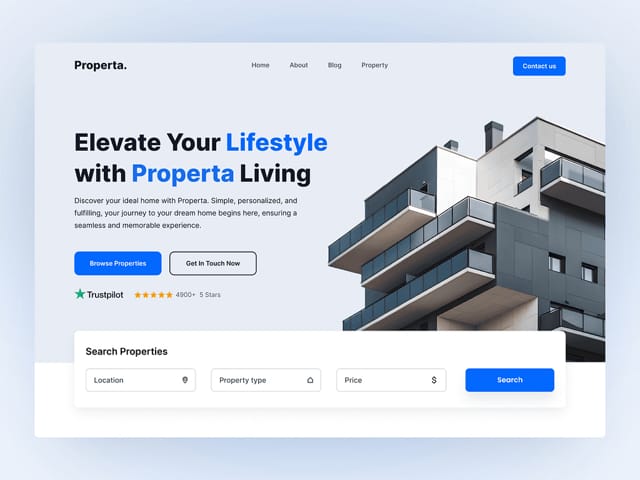
- Properta: a site for a real estate company. See the Properta project.
What happens on the intro call?
On the free 30-minute call we'll look at your current site, how much content it holds and what's driving the move. You'll get a recommendation on the destination platform, or a reason to stay put, and an outline of the migration scope. A fixed scope and price follow in writing before you commit.